People ask this after they print a QR code on something they cannot easily change: a slide, a sign or a stack of their own paper cards. The worry is fair. Some QR codes do stop working.
The code itself is just a pattern. It cannot expire. What can stop working is the thing it points to. This guide explains the difference between static and dynamic codes, why some stop working when a subscription ends, and what that means for a digital business card.
For a wider look at choosing a card, see our guide to the best digital business card.
Static vs dynamic QR codes
There are two kinds of QR code, and they behave very differently.
| Compared | Static QR code | Dynamic QR code |
|---|---|---|
| What is inside | The content itself, such as a web address or contact details | A short link run by a QR service |
| Can you change where it goes? | No. You need a new code | Yes, from the service's dashboard |
| Can it expire? | No. It works while its content is valid | It can, if the service switches the short link off |
| Needs an account? | No | Yes, with the QR service |
| Scan tracking | No | Usually |
A static code that holds your own web address keeps working for as long as that address works. A dynamic code depends on the QR service staying active for you.
Why some QR codes stop working when you cancel
A dynamic code sends every scan through the service's short link first. If the service stops redirecting that link, the code goes nowhere.
Several QR services say this in their own help centres. Uniqode says dynamic codes stop working after a cancelled subscription reaches its renewal date (Uniqode help). Scanova says dynamic codes are deactivated when a subscription or trial ends, while static codes keep working (Scanova help). QR Code Creator says dynamic codes become invalid once a plan expires (QR Code Creator help).
Digital business card apps can work the same way. If your card's QR code points to a profile on the vendor's site, it only works while the vendor keeps that profile online. Some apps fall back to a free plan when you cancel. Others may switch the profile off. Check the vendor's own terms before you print the code anywhere permanent.
What one-time hosting means for your printed QR code
On this site, your digital business card QR code opens your profile's permanent link. There is no subscription, so there is no payment that can lapse and switch it off.
That matters most for anything you print yourself, such as slides, signs or your own paper cards. The code keeps opening the same profile. When your details change, you edit the profile, and the printed code shows the new version.
To be precise about the limits: the profile is hosted by our platform partner on an "as available" basis, as our terms explain. There is no renewal fee and no end date in the terms, but no online service can promise to run indefinitely. Our guide to digital business cards with no subscription covers this in detail.
How to tell which kind of code you have
- Scan it and look at the address. If it opens a short link on a QR service's domain before your page, it is dynamic.
- Check where you made it. If you made it in an account with a dashboard and scan statistics, it is probably dynamic.
- Ask the vendor. For a business card app, ask: "What happens to my QR code if I cancel?"
Print-size and placement tips
A QR code that scans on your desk can fail on a wall. These habits help:
- Go bigger for distance. The further away people stand, the larger the code needs to be.
- Keep a quiet margin. Leave plain space around the code. Do not crowd it with text or images.
- Use strong contrast. Dark code on a light background scans best. Avoid pale colours and reversed codes.
- Keep it flat. Codes on curved or folded surfaces are harder to scan.
- Avoid glare. Shiny finishes and screens under bright light can wash a code out.
- Add a short link underneath. Some people prefer to type. A link also helps if a camera struggles.
- Say what it does. "Scan to save my details" tells people why they should scan.
How to test a QR code before you print
- Scan it with an iPhone and an Android phone.
- Scan it at the real size and the real distance, not just on your screen.
- Print one test copy and scan that, in the light where it will be used.
- Check it opens the right page, and that the page loads quickly on mobile signal.
- Press save-contact and check the saved details.
- Test it again a week later, especially if it is a dynamic code.
Do QR codes have a scan limit?
A static code has no scan limit. It is just a pattern, and any number of people can scan it.
Dynamic codes depend on the service. Some let you set a scan limit or a pause date. Some plans also cap the number of active codes. Check the plan before you print a dynamic code anywhere permanent.
What happens if the page moves
Even a static code can break if the page it points to disappears. If you print a code for a web address, and that address later changes or is deleted, the code opens an error page.
That is why it helps to point printed codes at an address you control and do not plan to change. A digital business card's permanent link is built for this. You change the profile, not the address.
QR codes and safety
QR codes are convenient, so people sometimes misuse them. A few habits keep you and your contacts safe:
- Check the address before you act. Most phone cameras show the web address before opening it.
- Be wary of codes stuck on top of other codes. In a public place, a code pasted over the original may lead somewhere else.
- Do not enter passwords from a scanned link unless you are sure where it leads.
- Make your own code easy to trust. A clear label, your name and a recognisable address help people feel safe scanning it.
QR codes on digital business cards
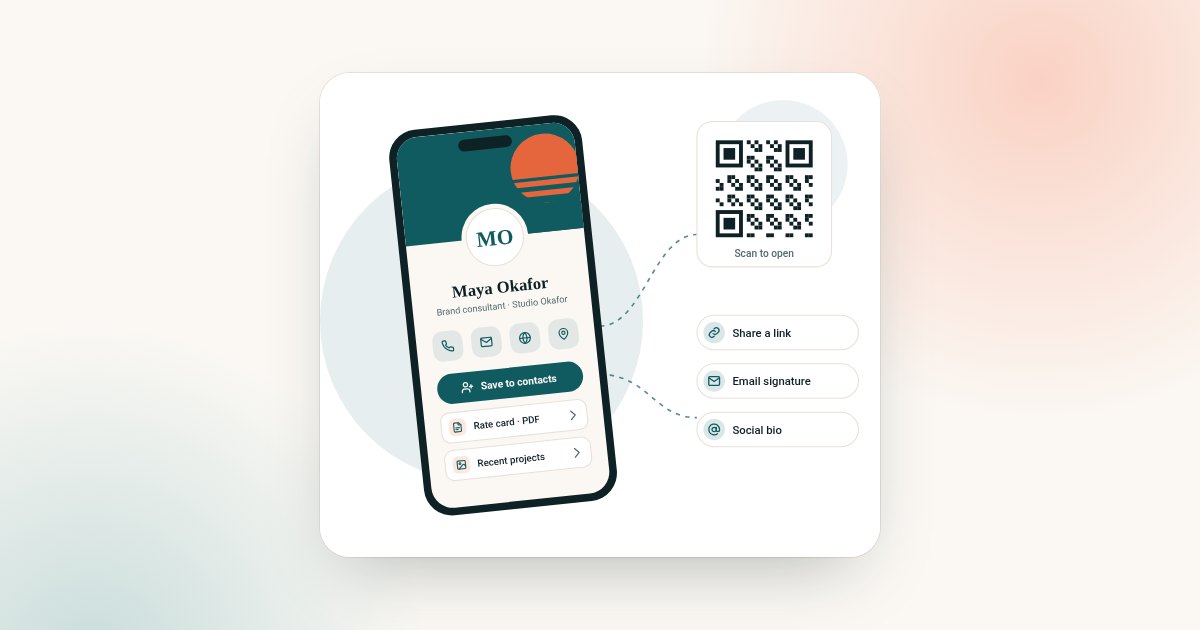
A digital business card QR code should open your live profile, not hold your details inside the code. A code that holds contact details is static and cannot be updated. A code that opens your profile always shows your current details.
Our guide to the digital business card vs vCard explains the difference between those two kinds of code in more depth. Weighing up a chip card instead? Read chip cards vs digital-only cards.
Frequently asked questions
Do QR codes expire?
The code itself never expires. A static code works while its content is valid. A dynamic code can stop working if the service behind its short link switches it off, often when a subscription ends.
Do static QR codes expire?
No. A static code holds its content directly. It keeps working as long as that content, such as a web address, is still valid.
Why did my QR code stop working?
It was probably a dynamic code, and the service behind it stopped redirecting. That often happens when a trial or subscription ends. It can also happen if the page it points to was deleted.
Will my digital business card QR code stop working?
On this site there is no subscription, so there is no payment that can lapse. Your code opens your profile's permanent link, hosted by our platform partner on an "as available" basis.
How big should a QR code be when printed?
Large enough to scan from where people will stand. Print a test copy and scan it at the real distance before you print the full run.
Can I change where a QR code goes after printing?
Only if it is dynamic, or if it points to a page you can edit. A digital business card's QR code opens your profile, so you edit the profile instead.