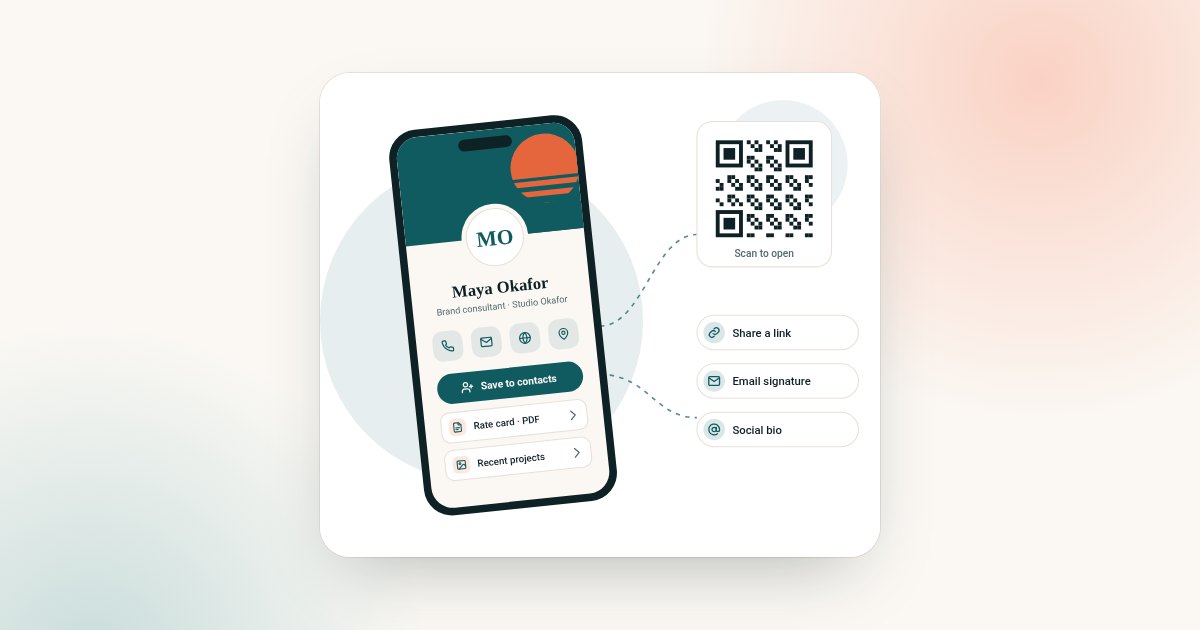
A business card used to work one way. You handed it over and hoped they called.
A digital card can work both ways. When someone opens your profile, they can leave their details for you. When someone hands you a paper card, you can scan it. Everything lands in one place, ready for follow-up. This guide explains how that works, which plan includes it, and a simple workflow for events.
If you are rolling cards out to a team, read our rollout checklist for teams alongside this guide.
What lead capture means on a digital card
Lead capture is any way your card collects other people's details, with their agreement. There are four parts.
- Two-way contact exchange. The visitor saves your details and leaves theirs.
- Forms. Short questions that tell you what the person needs.
- A card scanner. For the paper cards people still hand you.
- A CRM and export. One place to keep contacts, and a way to move them elsewhere.
Which plan includes it
On this site, lead capture tools are in Business Add-ons. It includes everything in Brand Presence plus 9 more features: CRM, Card Scanner, Get Reviews, Bookings, Enquiries, Contact Leads, Subscribers, Forms, Export.
Brand Presence has 13 features, including analytics, but no lead capture tools.
| Feature | Brand Presence | Business Add-ons |
|---|---|---|
| Profile, links, documents, gallery | Yes | Yes |
| QR code sharing and analytics | Yes | Yes |
| Contact Leads (two-way exchange) | No | Yes |
| Forms and Enquiries | No | Yes |
| Bookings | No | Yes |
| Card Scanner | No | Yes |
| CRM | No | Yes |
| Subscribers | No | Yes |
| Get Reviews | No | Yes |
| Export | No | Yes |
| Price | $72 once | $120 once |
The full feature table is in our guide to Brand Presence vs Business Add-ons.
Two-way contact exchange
With Contact Leads, your profile asks visitors whether they would like to share their details. They type their name and contact details, and you receive them.
That fixes the biggest weakness of a paper card. You no longer depend on the other person to get in touch. You have their details too, and you can follow up first.
Always say why you are asking. A line such as "Leave your details and I'll send you the brochure" works better than a bare form.
Forms and enquiries
Forms let you ask a few simple questions. Keep them short. Three questions is usually enough:
- What are you interested in?
- When do you need it?
- What is the best way to reach you?
Enquiries suit service businesses and anyone who quotes for work. People can ask a question without calling.
The card scanner
People still hand out paper cards. With Card Scanner on Business Add-ons, you can scan the paper cards you are given and keep them with your other contacts. No more piles of cards in a jacket pocket.
CRM and export
Every lead goes into the built-in CRM, so you can see who you met and what they asked for. When you need to move contacts into another system, use Export.
Export matters even if you never plan to leave. It lets you share leads with a colleague or load them into your main sales tool.
Event and trade-show workflow
Events are where lead capture pays off. Here is a simple workflow.
Before the event
- Check your profile. Put the right brochure and a clear enquiry form near the top.
- Save your QR code to your phone's photos. Print it on your stand and slides.
- Add a short label: "Scan to get the brochure and book a call".
- Agree with your team who follows up which leads.
During the event
- Show your QR code instead of reading out details.
- Ask people to leave their details on your profile while you talk.
- Scan any paper cards you are given straight away.
- Add a quick note to each contact about what you discussed.
After the event: the 24-hour follow-up
- Within 24 hours, send each new contact a short, personal message.
- Mention one thing you talked about.
- Include your profile link and one clear next step, such as booking a call.
- Export your event leads and share them with anyone who needs them.
The 24-hour rule is a habit, not a statistic. The point is simple: reply while you are still fresh in their mind.
A follow-up message you can adapt
"Hi [name], great to meet you at [event] today. As promised, here's the brochure and my details: [link]. Would [day] work for a quick call?"
Realtors use the same approach after open houses. See our guide to a digital business card for realtors for examples.
What to ask in a lead form, by role
| Role | Good questions | Why |
|---|---|---|
| Sales | What are you looking for? When do you need it? | Qualifies the lead quickly |
| Consultant | What is the main problem? What is your budget range? | Shapes the first call |
| Trades | What job? What area? Best time to call? | Lets you quote or book a visit |
| Recruiter | What role? When can you start? | Sorts candidates quickly |
| Realtor | Buying or selling? Which area? | Routes the lead to the right next step |
Keep it to three questions. Every extra question loses people.
Lead capture without an event
Events are only one source. Your card captures leads every day if you put it in the right places:
- your email signature, so every reply is a chance to connect;
- your social bios, where new followers find you;
- your quotes and invoices, for referrals; and
- your shop counter or reception, with a QR code sign.
Measuring what works
Both plans include analytics. Use them to see how often your profile is opened and which buttons people press. If many people open your profile but few leave details, move the form higher or make the reason to share clearer.
Review your leads once a month. Which events, channels or messages brought the best contacts? Do more of those.
Common mistakes
- Asking for too much. Long forms lose people.
- No reason to share. Say what people get in return, such as a brochure or a callback.
- Leads left in the app. Export them or work them from the CRM every week.
- Slow follow-up. A short message within a day beats a long one next week.
- No owner. In a team, every lead needs one person responsible for the reply.
From lead to customer: a simple pipeline
A lead is only useful if it moves forward. Keep a simple pipeline in your CRM with four stages:
- New. Captured, not yet contacted.
- Contacted. You have sent your first message.
- In conversation. They have replied, and you are discussing next steps.
- Won or closed. They became a customer, or it is not the right time.
Review the pipeline once a week. Move each lead forward or close it. Leads that sit in "New" for weeks rarely turn into anything.
Privacy and consent
Lead capture means collecting other people's personal details. Treat them with care.
- Tell people why you are asking and what you will do with their details.
- Use the details only for that purpose.
- Store exported lists securely, and delete what you no longer need.
- Follow the data protection rules where you work. If you are unsure, take advice.
Our privacy policy explains how this site handles data.
For teams
If several people capture leads, agree who follows up, how quickly and where leads are stored. Give Business Add-ons to the people who generate leads and Brand Presence to everyone else. Plan this with our rollout checklist for teams.
Ready to choose? Both plans are on the digital business card plan chooser.
Frequently asked questions
What is digital business card lead capture?
It is any way your digital card collects other people's details with their agreement, such as a contact form, enquiries or a paper card scanner.
Which plan includes lead capture?
Business Add-ons. It adds Contact Leads, Forms, Enquiries, Bookings, Card Scanner, CRM, Subscribers, Get Reviews and Export to everything in Brand Presence.
Can I scan paper business cards?
Yes, with Card Scanner on Business Add-ons. Scanned contacts are kept with your other leads.
Can I export my leads?
Yes. Export is part of Business Add-ons, so you can move contacts into another system.
How quickly should I follow up after an event?
Within 24 hours is a good habit. Send a short, personal message with your profile link and one clear next step.
Does Brand Presence include any lead tools?
No. Brand Presence includes the full profile and analytics. Contact Leads, Forms, the Card Scanner, CRM and Export are in Business Add-ons.
Do I need consent to collect leads?
You should always tell people why you are asking and use their details only for that. Data protection rules differ by country, so take advice if you are unsure.