Real estate runs on introductions. You meet buyers at open houses, sellers on the phone and both online. Every one of those moments needs the same thing: an easy way to keep in touch.
A paper card hands over a phone number. A digital card can do much more. It can show your listings, let someone book a showing and capture their details for follow-up. This guide shows how to set one up for real estate work.
For the general checklist, see what to put on a digital business card.
Why realtors use digital cards
- Listings change every week. A digital card links to live listing pages, so it is never out of date.
- Open houses are busy. A QR code on a sign lets visitors save your details and ask questions without a queue.
- Leads come from everywhere. Signs, calls, social posts and referrals. One profile gathers them in one place.
- Follow-up wins. The agent who replies first often gets the next conversation.
Must-have fields for realtors
| Field | Why it matters | Plan |
|---|---|---|
| Photo and name | Buyers want to recognise you at a viewing | Both |
| Brokerage and license details | Builds trust and may be required by local rules | Both |
| Mobile number and email | Many buyers still call first | Both |
| Links to current listings | Points people to live, accurate pages | Both |
| Brochures and guides as documents | Buyer and seller guides, area guides | Both |
| Gallery of recent sales | Shows your track record, with sellers' permission | Both |
| Testimonials | Real quotes you have permission to use | Both |
| Booking link for showings or valuations | Lets people choose a time | Business Add-ons |
| Enquiry form | Captures questions and contact details | Business Add-ons |
The full plan comparison is in our guide to Brand Presence vs Business Add-ons.
Listings links
Link to live listing pages rather than copying details onto your card. Prices and availability change. A link always shows the current state.
- Link to your own listings page on your brokerage's website.
- Add one link per featured property if you are promoting a few.
- Remove sold listings, or move them to your gallery as recent sales.
Open-house QR signs
An open house is the best place to show your QR code.
- Print the QR code on a sign near the entrance, with a clear label such as "Scan for the brochure and to book a viewing".
- Add the code to any printed flyers you hand out.
- Make sure the profile opens to the property brochure or your enquiry form.
- Test the sign with two phones in the room's real light before the doors open.
Visitors save your details on the spot. Those who fill in the enquiry form land in your contact leads.
Booking showings
With Business Add-ons, your profile can take booking requests. Buyers choose a time for a showing, and sellers can ask for a valuation. Put the booking button near the top of your profile, labelled plainly: "Book a viewing" or "Request a valuation".
If you already use a booking tool through your brokerage, you can link to it from Brand Presence instead.
Lead capture and the CRM
Business Add-ons adds tools that suit real estate well:
- Contact Leads collect the details of people who want to hear from you.
- Enquiries and Forms let you ask simple questions, such as budget and area.
- CRM keeps track of each contact in one place.
- Card Scanner helps with paper cards other agents and contacts hand you.
- Get Reviews, for collecting reviews from past clients.
- Export moves your contacts into your brokerage's system.
Our guide to digital business card lead capture explains the full workflow, including events.
Follow-up templates
Fast, personal follow-up matters more than any tool. Here are three short messages you can adapt. Keep them in your phone's notes and send them the same day.
After an open house: "Hi [name], thanks for coming to [address] today. Here are my details and the brochure: [link]. Happy to book a second viewing whenever suits you."
After a valuation call: "Hi [name], good to speak today. You can see my recent sales and book the valuation here: [link]. I'll call on [day] to confirm."
After meeting at an event: "Hi [name], great to meet you at [event]. My details are here, and you can save them in one step: [link]."
Buyers and sellers: one profile or two?
Buyers and sellers want different things. Buyers want listings and viewings. Sellers want proof you can sell, and a valuation.
For most agents, one profile works if the top of it serves both: a "Book a viewing" button and a "Request a valuation" button side by side. Put listings first, then recent sales and testimonials.
If you mainly work one side, lead with that. A seller-focused agent might put recent sales and the valuation button at the top, and listings lower down.
On portals and social media
Your profile link belongs wherever buyers and sellers find you:
- in your social bios, so every post leads back to you;
- on your page on the brokerage's website, if it allows a personal link;
- in your email signature, so every reply to an enquiry carries it; and
- in your messages after calls, with a one-line reason to open it.
A day with a digital card
Morning. A seller calls about a valuation. After the call you send your profile link. They see your recent sales and book a time through your booking button.
Midday. You post a new listing on social media. Your bio link opens your profile, where the listing sits at the top.
Afternoon. At an open house, visitors scan the QR code by the door. Several leave their details through your enquiry form. You scan two paper cards from a mortgage adviser and a neighbour.
Evening. You open your contact leads, see who came and send each one a short follow-up message. Then you export the day's contacts into your brokerage's system.
Working with your brokerage's brand
Most agents work under a brokerage's name. Your card should reflect that.
- Use your brokerage's logo and colours if its brand rules allow.
- Show the brokerage's name clearly near your own.
- Ask whether your brokerage has a standard layout for agent profiles.
- Link to your page on the brokerage's website as well as your own listings.
On a team, use one template so every agent's card looks consistent. Our rollout checklist for teams covers this.
Social proof without overclaiming
Buyers and sellers want to know you can deliver. Show it honestly.
- Use testimonials only with the client's permission, and quote them word for word.
- Show recent sales in your gallery only with the seller's agreement.
- List awards and memberships you actually hold, with a link to verify them where possible.
- Avoid claims you cannot back up, such as "number one in town", unless you can prove them.
Common mistakes realtors make
- Copying listing details onto the card. They go out of date. Link to the live page instead.
- No clear next step. Pick one main button, such as "Book a viewing".
- A sign code that has not been tested. Test it in the room's light before visitors arrive.
- Slow follow-up. A same-day message beats a perfect one sent next week.
- Forgetting the rules. Check what your local rules require on advertising, such as license details.
Check your local advertising rules
Many places have rules about what real estate professionals must show in advertising. These can include your license number, your brokerage's name or a specific disclosure. Rules differ by state, province and country.
This guide is not legal advice. Check the rules that apply to you with your brokerage or your local licensing body, and add any required details to your profile.
A sample realtor profile
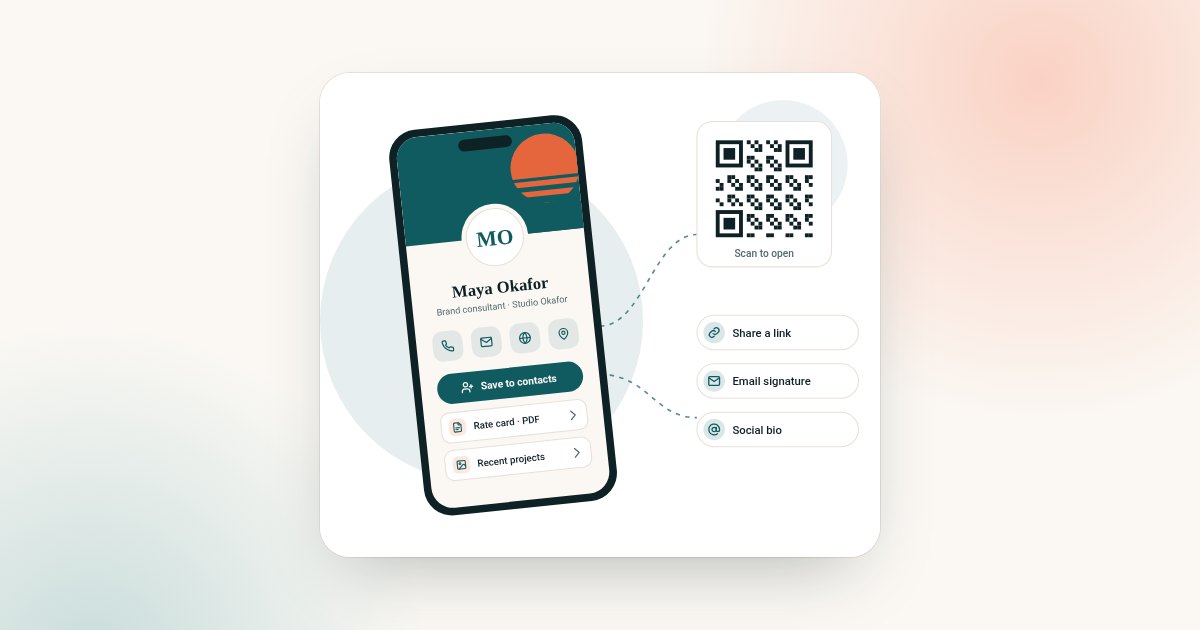
From top to bottom:
- Photo, name, "Realtor at [Brokerage]" and your license details.
- Main button: "Book a viewing".
- Mobile, email and save-contact.
- Links: current listings, your area guide and your social profile.
- Documents: buyer's guide and seller's guide.
- Gallery of recent sales, with permission.
- Testimonials from past clients, with permission.
- Enquiry form: "Tell me what you're looking for".
Which plan suits a realtor?
Most working agents get the most from Business Add-ons, because bookings, enquiries and contact leads match how they win business. Brand Presence costs $72 and Business Add-ons costs $120, each paid once. Choose on the digital business card plan chooser.
If you already have a CRM and booking tool through your brokerage, Brand Presence with links to those tools may be enough.
Running a small agency? Our guide to a digital business card for small business covers the cost for an owner plus staff.
Frequently asked questions
Do realtors need a digital business card?
Not by law, but it helps. It links live listings, takes booking requests and captures leads, which a paper card cannot do.
What should a realtor put on a digital business card?
Photo, name, brokerage, license details, phone, email, links to current listings, a booking button and an enquiry form.
Can I put my QR code on an open-house sign?
Yes. Print it with a clear label, and test it in the room's light before visitors arrive.
Do I need to show my license number?
It depends on where you work. Many places have advertising rules for real estate professionals. Check with your brokerage or licensing body; this is not legal advice.
Which plan is best for realtors?
Business Add-ons, if you want bookings, enquiries, contact leads and a CRM. Brand Presence is enough if your brokerage already provides those tools.
Can I share my card at an open house without printing?
Yes. Show the QR code on your phone or a tablet by the door. A printed sign is easier for busy open houses, but it is not required.
Can I export my leads?
Yes. Export is part of Business Add-ons, so you can move contacts into another system.