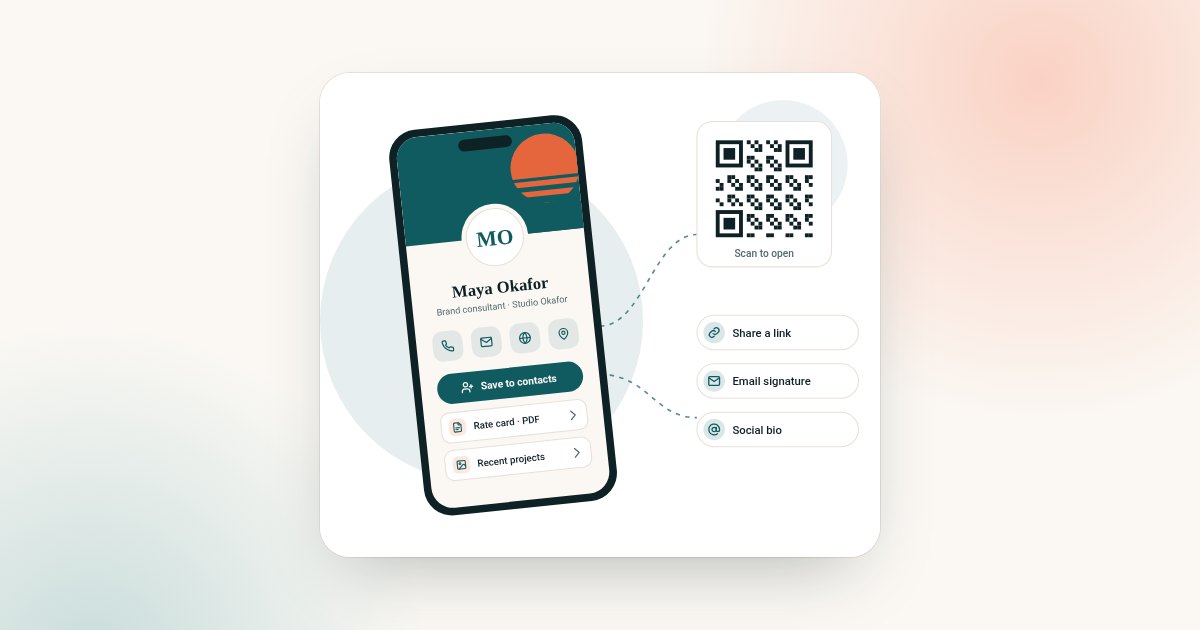
Most small businesses need a few simple things online. A place to say what you do. A way to call or book. Something that looks professional when a customer finds you.
A full website can do that, but it takes time and money to build and keep running. A digital business card can do much of the same job, on one page you edit yourself. This guide shows how to use one as a mini website, and what it costs for an owner and staff.
The online business card page is built for exactly this kind of use.
The card as a mini website
Think of your profile as the front page of your business. These sections do the work.
| Section | What it does | Plan |
|---|---|---|
| Logo, name and one-line description | Tells people what you do in a few seconds | Both |
| Phone, email and save-contact | Makes it easy to call or save you | Both |
| Products | Shows what you sell, with photos | Both |
| Gallery | Shows your work, your premises or your team | Both |
| Testimonials | Real quotes from customers, with permission | Both |
| Documents | Price lists, menus or brochures | Both |
| Map link | Opens your location in a map app | Both, as a link |
| Analytics | Shows how often people open and use your page | Both |
| Reviews | Asks customers for a review | Business Add-ons |
| Bookings | Lets customers request a time | Business Add-ons |
| Enquiries and forms | Collects questions and quote requests | Business Add-ons |
A map is not a separate plan feature. Add a link to your listing on a map service, and it opens in the customer's map app.
Reviews
Reviews help new customers trust you. Business Add-ons includes Get Reviews, for collecting reviews from customers. Ask at the right moment: just after a job is done, or when a customer thanks you.
Bookings
If customers book appointments, put a booking button near the top. Hairdressers, therapists, tutors and trades all benefit. Label it plainly: "Book an appointment" or "Request a visit".
Products
Brand Presence includes a products section. Use it for your best sellers, with a photo, a short description and a price if you show one. Keep it to a handful of items, and link to a full shop if you have one.
Enquiries
An enquiry form is often the most useful part for a service business. Customers can ask for a quote without calling. With Business Add-ons, those enquiries are kept together, and you can export them later.
Our guide to digital business card lead capture explains how to follow up enquiries well.
What it costs for an owner plus staff
Each profile is paid once. A common setup is Business Add-ons for the owner, who handles enquiries, and Brand Presence for staff.
| Team | Plans | Total, paid once |
|---|---|---|
| Owner only | 1 Business Add-ons | $120 |
| Owner and 2 staff | 1 Business Add-ons + 2 Brand Presence | $264 |
| Owner and 4 staff | 1 Business Add-ons + 4 Brand Presence | $408 |
| Three staff, no lead tools | 3 Brand Presence | $216 |
There is nothing more to pay next year. For comparison, HiHello Business costs $60 per user a year with a five-user minimum, or $300 a year for five people. Prices checked on 31 October 2026 on hihello.com.
For larger teams, ask us about team pricing. Our guide to Brand Presence vs Business Add-ons helps you choose a plan for each person.
Online, digital or virtual?
You may see these cards called online, digital or virtual business cards. They are the same thing. "Online business card" is the name most small businesses search for, because the card works like a web page. Our guide to online vs digital vs virtual business cards explains the difference in names.
Where to share it
- Your map and directory listings. Add the link as your website.
- Your social bios. One link that holds everything.
- Quotes and invoices. Add the link and QR code to the footer.
- Your premises. Print the QR code on a sign at the counter or in the window.
- Vans and printed flyers. A QR code with "Scan to book" works well.
- Every email. Put the link in your signature.
A sample small-business profile
A local bakery, from top to bottom:
- Logo, "Family bakery in [town]" and opening hours.
- Main button: "Order a celebration cake".
- Phone, email and a link to the map listing.
- Products: three best sellers with photos.
- Gallery: the shop and recent cakes.
- Documents: the full menu.
- Testimonials from regular customers, with permission.
- Enquiry form for custom orders.
What customers look for first
When a customer opens your card, they usually want one of four things in the first few seconds:
- Are you open? Show your opening hours near the top.
- Where are you? Add your town and a map link.
- What do you offer? A one-line description and a few products or services.
- How do I get in touch? A phone number and one clear button.
Answer those four questions above the fold, and most customers will take the next step. Everything else, such as galleries and testimonials, can sit lower down.
Using your card with map and directory listings
Many customers find small businesses through map apps and local directories. Your card works alongside those listings, not instead of them.
- Add your card's link as the website on your listings, if you do not have a full website.
- Use the same name, address and phone number everywhere, so customers are not confused.
- Ask happy customers for reviews on the platforms you use, as well as through your card.
Set it up in six steps
- Write one sentence about your business. What you do, for whom and where.
- Gather your assets. Logo, three to six photos, opening hours, a price list and your map listing link.
- Pick your main action. Call, book, order or ask for a quote. Make that the top button.
- Build the profile from a template, following our guide on how to make a digital business card.
- Test it on two phones. Press every button, including save-contact and the map link.
- Share it everywhere. Listings, bios, invoices, signs and your email signature.
Examples by business type
| Business | Main button | Most useful sections |
|---|---|---|
| Hair or beauty salon | Book an appointment | Bookings, gallery, price list |
| Plumber or electrician | Call now or request a quote | Services, areas covered, enquiries |
| Café or bakery | Order or visit | Products, opening hours, map link |
| Tutor or coach | Book a session | Bookings, testimonials, subjects |
| Bookkeeper or consultant | Book a call | Services, documents, testimonials |
| Shop with a website | Visit the shop | Products, link to the full shop |
Keeping it current
A digital card is only useful if it is right. Update your hours before holidays. Swap seasonal products. Replace old photos once or twice a year. Because every customer opens the same link, one edit updates every copy you have shared.
Common mistakes small businesses make
- Too many buttons. One main action works better than five.
- Old opening hours. Customers who turn up to a closed door rarely come back.
- No map link. Make it easy to find you.
- Using a personal number. Use a business number your staff can answer.
- Forgetting staff. If staff meet customers, give them a profile too, using the same template.
Running an estate agency? See our guide to a digital business card for realtors.
Card or website?
A digital card is not a full website. If you need a large shop, a blog with search traffic or complex pages, you still need a website.
But many small businesses never need more than one good page. A card is faster to set up, easy to keep current and paid once. You can always link to a website later.
For what to include, see what to put on a digital business card.
Frequently asked questions
Can a digital business card replace a website?
For many small businesses, it can do the job of a simple one-page site. If you need a large shop or many pages, keep a website and link to it from your card.
What should a small business put on a digital business card?
Logo, a one-line description, phone, email, opening hours, a map link, products, a gallery, testimonials and a booking or enquiry button.
How much does a digital business card cost for a small team?
Each profile is paid once. For an owner on Business Add-ons and two staff on Brand Presence, the total is shown in the table above for your market, with nothing more to pay each year.
Can customers book appointments from the card?
Yes, with Business Add-ons. Bookings let customers request a time from your profile.
Can I add my products?
Yes. Brand Presence includes a products section, with photos and descriptions.
Do I need a website as well?
Not always. Many small businesses use the card as their main page and link to social profiles and a map listing. If you need an online shop or many pages, keep a website too.
Can my staff have their own cards?
Yes. Each person gets their own profile, paid once. Use the same template so the whole team looks consistent.