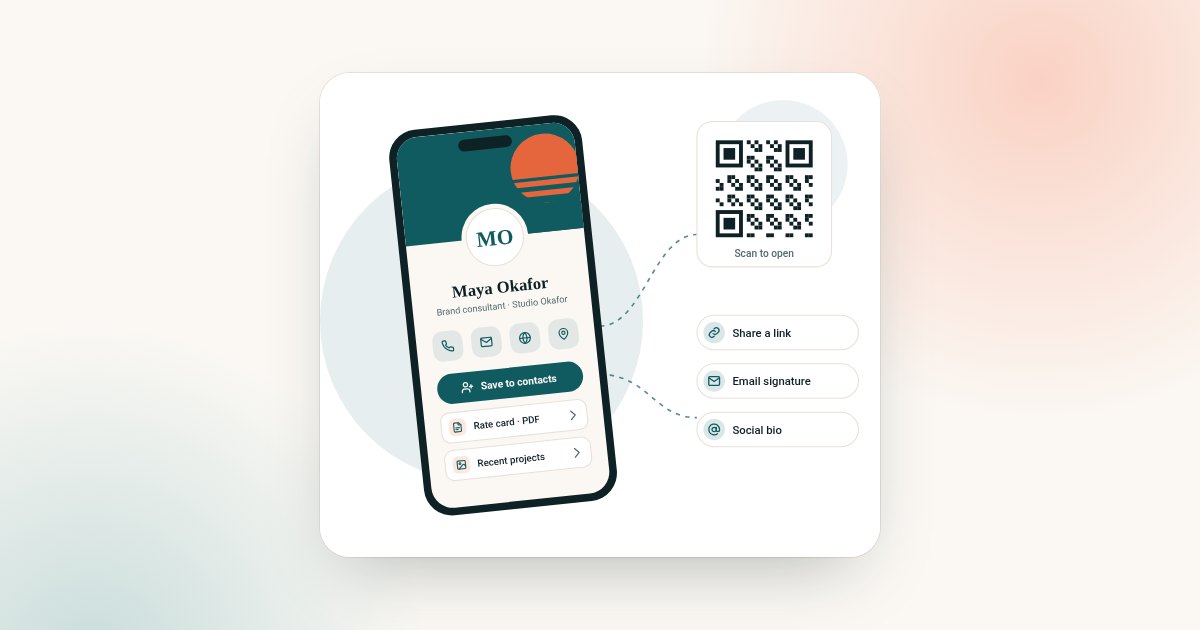
Disclosure: Digital Business Card is an independent store. We work with several digital business card platform partners and may earn a commission when you buy through us. This never changes your price. This store sells digital business cards. Printer prices below come from each printer's own website, checked on 31 October 2026.
Paper business cards are not going away. Plenty of people still like to hand something over, and plenty of contacts still expect it.
But paper has a hidden cost: it cannot change. Every new title, number or logo means a new print run. This guide compares paper and digital on cost over three years, reprints, follow-up and waste. It ends with the tactic many people use: both together.
For the wider picture, see our guide to the best digital business card.
The short answer
- Paper is cheap per card, needs reprinting when anything changes and cannot hold links or documents.
- Digital costs once here, updates instantly and works in person and online.
- Both works best for many people: a simple paper card with your QR code on it.
What paper cards cost
Paper prices vary by printer, paper, finish and quantity. Here are two examples from printers' own websites.
| Printer and product | Quantity | Price shown | Notes |
|---|---|---|---|
| Vistaprint Standard | 250 cards | $19.99 | Economy delivery shown at $4.99 |
| Vistaprint Standard | 500 cards | $24.99 | Economy delivery shown at $4.99 |
| MOO Original | 200 cards | $78.00 | $92.00 shown struck through |
Prices checked on 31 October 2026 on vistaprint.com and moo.com (US), before tax. Offers change often, so check the printer's page.
Cost over three years
Paper costs depend on how often you reprint. The table shows a simple example: one box of 250 Vistaprint Standard cards, reprinted after each change.
| Scenario over 3 years | Paper (Vistaprint, 250 cards + economy delivery) | Digital here (Brand Presence) |
|---|---|---|
| No changes, one print run | $24.98 | $72 once |
| One change, two print runs | $49.96 | $72 once |
| Three changes, four print runs | $99.92 | $72 once |
Paper prices from Vistaprint's page, checked on 31 October 2026. Your own costs depend on your printer, design fees and how many cards you hand out.
On price alone, cheap paper can cost less than digital if you never change anything. The comparison shifts with every reprint, and with what each one can do. For subscription digital cards, see our guide to digital business card cost.
The real cost of reprints
The print price is only part of it. Each reprint also means:
- Throwing away cards you have left. Old cards with the wrong number are no use.
- Time. Updating the design, checking a proof and waiting for delivery.
- A gap. Until the new box arrives, you either hand out wrong cards or none.
- Inconsistency. In a team, some people end up with old cards and some with new.
A digital card has no reprint. You edit the profile, and every link and QR code you have shared shows the change straight away.
What each one can do
| Compared | Paper card | Digital card |
|---|---|---|
| Update after handing it out | No | Yes, instantly |
| Links, booking page, documents | No | Yes |
| Save to contacts in one step | No, details are typed in | Yes |
| Share by email or message | Only as a photo | Yes, by link |
| See if it was used | No | Yes, with analytics |
| Works without a phone | Yes | No |
| Physical object to hand over | Yes | No |
Follow-up
The point of a business card is the follow-up. A paper card relies on the other person typing your details in later. Many never do.
A digital card shortens that step. The other person scans your QR code, presses save-contact and you are in their phone before you part.
We looked for a reliable follow-up rate for paper versus digital cards from a named primary source. We did not find one, so we do not quote a number here. Be wary of round figures about how many paper cards are thrown away; they rarely link to the original research.
Sustainability
Business cards are a small part of paper use, and we will not overstate their impact. Here is what the public data says about paper in general.
The US Environmental Protection Agency reports that paper and paperboard made up 67.4 million tons, or 23.1 percent, of US municipal solid waste generated in 2018 (US EPA). It also reports a paper and paperboard recycling rate of 68.2 percent that year, the highest of any material in municipal waste.
Not every digital option is the same either. If you are weighing up hardware, see chip cards vs digital-only cards.
The EPA does not report business cards separately, so we cannot say how many end up as waste. What is clear is simpler: a digital card avoids printing and delivery, and it never becomes out of date in a drawer.
The "use both" tactic
You do not have to choose. Many people keep a simple paper card and print their QR code on it.
- The paper card gives you something to hand over.
- The QR code opens your live profile, so the card never goes out of date.
- Your details can change without reprinting, because the code points to the profile, not to fixed text.
How to do it
- Make your digital card and test its QR code.
- Add the QR code to your paper card design, with a short label such as "Scan to save my details".
- Keep the printed text short: name, title and company. The profile holds the rest.
- Print a test card and scan it in normal light before ordering a full run.
A QR code that opens a profile you control keeps working as long as the profile is online. Our guide do QR codes expire? explains why some codes stop working and how to avoid that.
What to print when you use both
When the QR code does the heavy lifting, the paper card can be simple:
- your name and job title;
- your company name or logo;
- one phone number or email, for people who will not scan;
- the QR code, with a label such as "Scan to save my details"; and
- a short link under the code, for people who prefer to type.
Leave off anything likely to change, such as a direct line or office address. The profile holds those.
QR code design tips for paper cards
- Size. Give the code enough space to scan comfortably from a hand's length away. Test before you order.
- Contrast. Dark code on a light background. Avoid printing on dark or patterned card.
- Margin. Leave plain space around the code.
- Finish. Very glossy finishes can reflect light into the camera. Matt finishes are easier to scan.
- Placement. The back of the card often works best, where the code has room.
For a team of five
Paper costs multiply with people. Using the same Vistaprint example, five people each needing a box of 250 cards with economy delivery comes to $124.90 per print run. Two print runs over three years comes to $249.80. Five Brand Presence profiles here cost $360 once.
The paper numbers rise with every new starter, rebrand or office move. The digital number does not.
When paper still wins
Be fair to paper. It still wins when:
- you work in a setting where a printed card is expected;
- your contacts often lack signal or a smartphone; or
- you hand out very few cards and never change your details.
In those cases, a paper card with your QR code on it gives you the best of both.
Questions to ask yourself
- How often have my details changed in the last three years?
- How many cards do I actually hand out in a month?
- Do most of my introductions happen in person or online?
- Would my contacts rather scan a code or keep a card?
- Do I need links, documents or a booking button on my card?
If your details change often or you share online a lot, digital will save you time and money. If you hand out a handful of cards a year, paper with a QR code may be all you need.
Which should you choose?
- Choose paper only if you rarely change details and your contacts expect a printed card.
- Choose digital only if you share online as much as in person and want no reprints.
- Choose both if you want something to hand over and details that never go out of date.
Ready to set up the digital side? See the plans on the digital business card page.
Frequently asked questions
Are digital business cards better than paper?
For updating, sharing online and saving contacts, yes. Paper is still useful as something to hand over, which is why many people use both.
Are digital business cards cheaper than paper?
Over time, often yes, because there are no reprints. Cheap paper can cost less if you never change your details.
How do I put a QR code on my paper business card?
Add your digital card's QR code to your paper card design, with a short label. Print a test copy and scan it before you order the full run.
Are paper business cards bad for the environment?
Paper is a large share of US municipal waste, according to the EPA, though it also has a high recycling rate. Business cards are not measured separately.
Will my printed QR code go out of date?
Not if it opens a profile you can edit. You change the profile, and the printed code shows the new details.
Can I use my digital card without a paper card?
Yes. Show your QR code on your phone in person, and send your link everywhere else. A paper card is optional.
Does this store print business cards?
No. This store sells digital profiles only. Nothing is printed or posted.